Program Workflow: Cardholder Lifecycle
This section describes the end-to-end workflow for onboarding a cardholder, completing KYC, creating a wallet, and issuing cards.
Cardholder Onboarding and KYC
The onboarding process begins with cardholder registration and identity verification.
Workflow Diagram
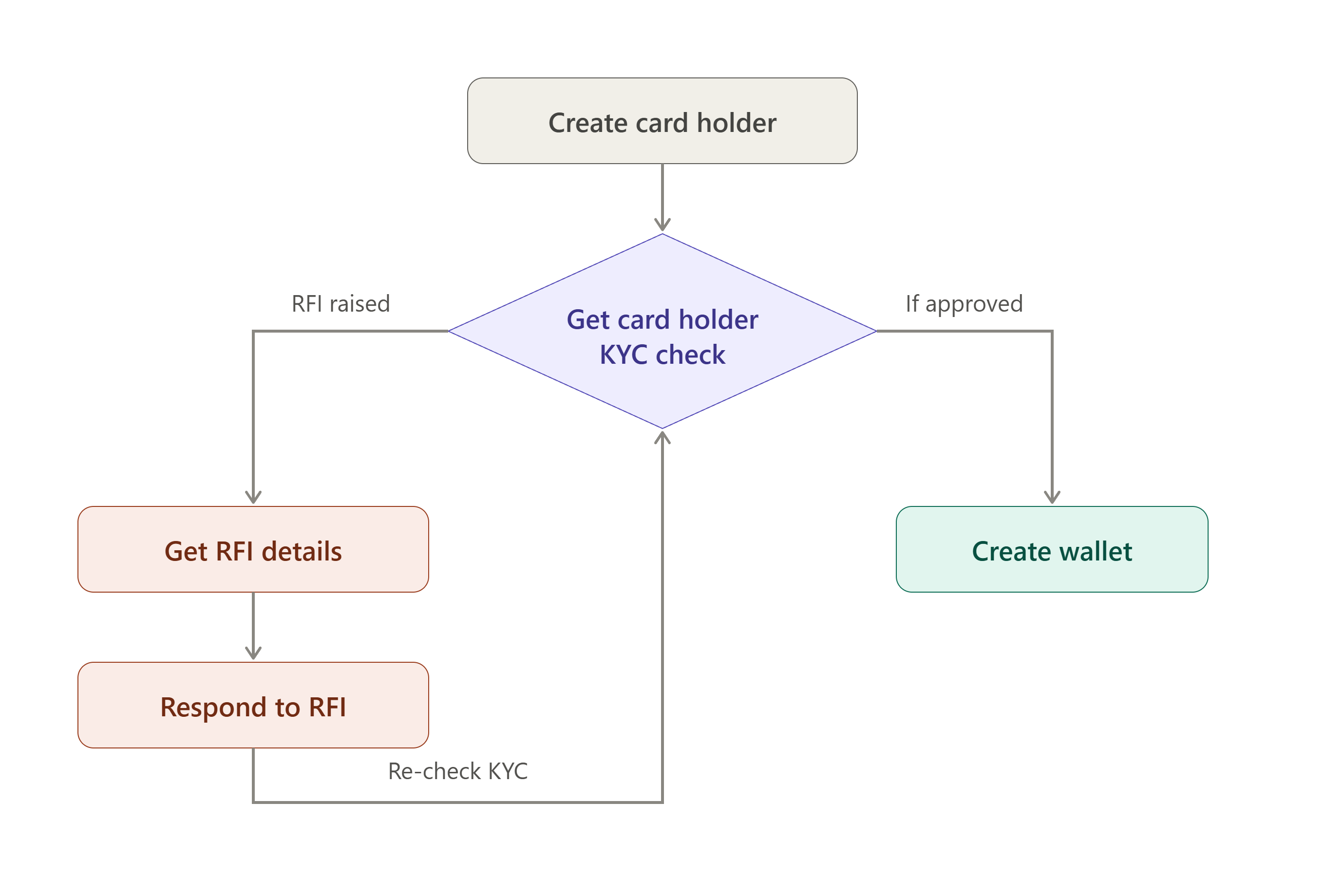
Create Cardholder:
The workflow begins when a card holder is created in the system. Basic identity and contact information is captured at this stage, including the details required for downstream KYC verification.
Get Cardholder KYC check:
The captured details are run through a KYC check to verify the card holder's identity.
Possible outcomes:
- Approved – The cardholder proceeds directly to wallet creation.
- RFI (Request for Information) – Additional information or supporting documents are required before approval can be granted.
RFI Handling (If Applicable):
- Get RFI details — the system surfaces the specific information or documentation the KYC provider requires.
- Respond to RFI — the card holder (or an internal user on their behalf) submits the requested information. Once submitted, the response is routed back into the "Get Cardholder KYC check" step, where it is re-evaluated. This loop repeats until the KYC check returns an approved outcome.
💡 Only an approved KYC check allows the workflow to continue to wallet creation.
Wallet and Card Creation
After successful KYC verification, a wallet is created for the cardholder.
Workflow Diagram
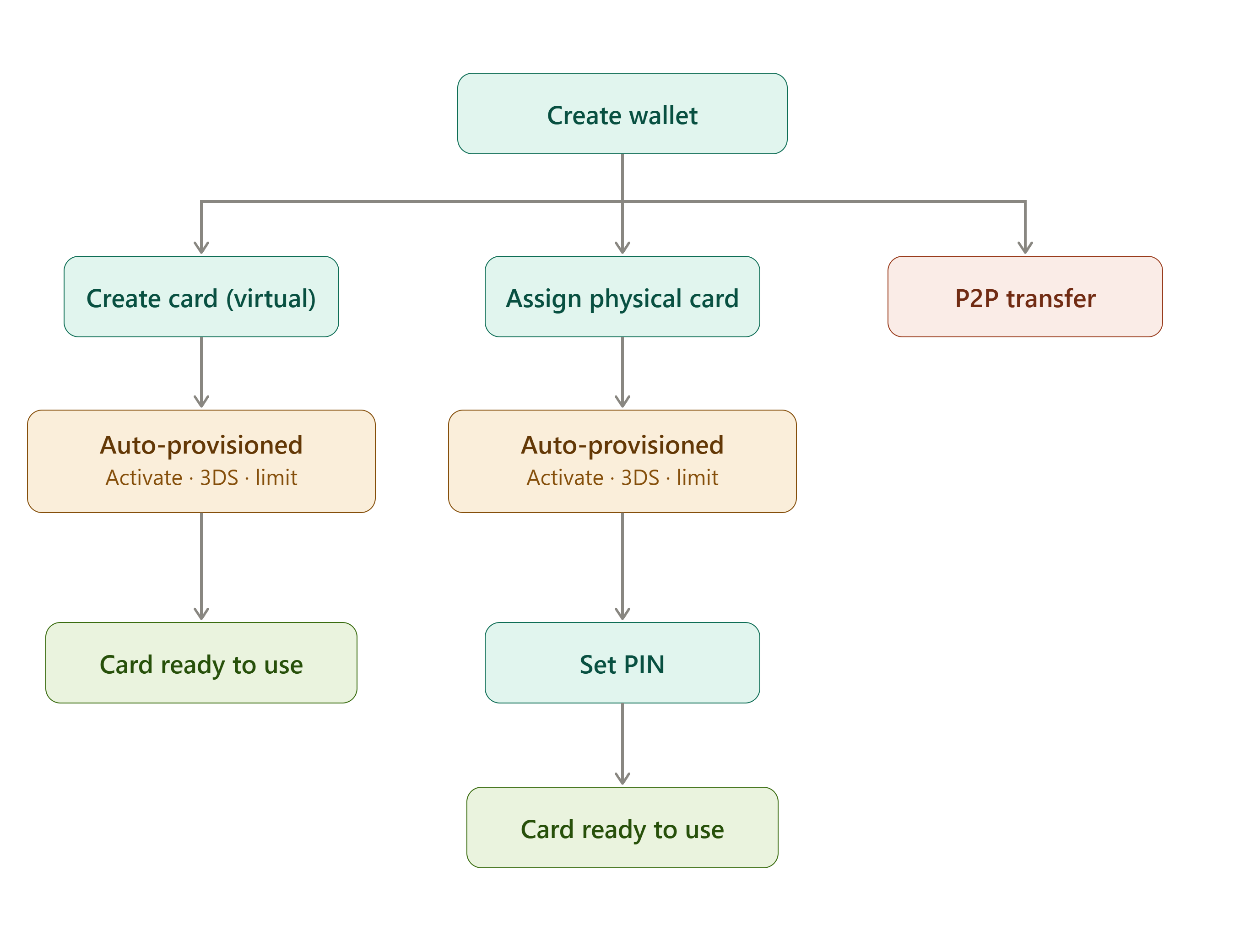
Create Wallet:
Once KYC is approved, a wallet is created for the card holder. From the wallet, three actions are available:
- Create Virtual Card
- Assign Physical Card
- Initiate P2P Transfer
Create card (virtual) / Assign physical card:
When a virtual card is created or a physical card is assigned, the system automatically provisions the card in a single step — no separate manual actions are required. This automated step performs:
- Card Activation — the card is activated immediately upon creation/assignment.
- 3D Secure (3DS) Enrollment — the card is automatically enrolled in 3D Secure, with enrollment confirmation sent to the card holder's registered email.
- Spend Limit Configuration — initial card spending limits are set as part of the same provisioning step.
For details on default limits, supported limit types, and limit management APIs, refer to the Card Spend Limit section.
Set PIN (Physical Cards Only):
For physical cards, the cardholder must set a PIN before the card can be used. Virtual cards do not require PIN setup and can be used immediately after provisioning.
Card Ready for Use: A card becomes available for transactions once:
- Automatic provisioning is completed.
- PIN setup is completed (physical cards only).
P2P Transfer
Peer-to-peer (P2P) transfers can be initiated directly from the wallet and do not require card creation or card activation.